HR
Appoyo HR keeps hiring and compliance tight, without the admin drag. Built-in onboarding workflows, credential tracking, and expiry alerts.
Learn More

Appoyo HR keeps hiring and compliance tight, without the admin drag. Built-in onboarding workflows, credential tracking, and expiry alerts.
Learn More
End-to-end delivery linking rostering, notes, payroll and invoicing in one source of truth with live dashboards.
Learn More
Log incidents in field workflows, track actions and report executive risk with clear visibility and accountability.
Learn More
SCHADS-aware payroll and automated invoicing reduce double handling, errors and rework across large care workforces.
Learn More
24/7 shift-fill managed service from 5pm to 7am to reduce roster gaps and continuity risk without adding overhead.
Learn More
Free, no sign-up financial tools built for NDIS and Home Care providers to understand margin, forecasting and more.
Learn More


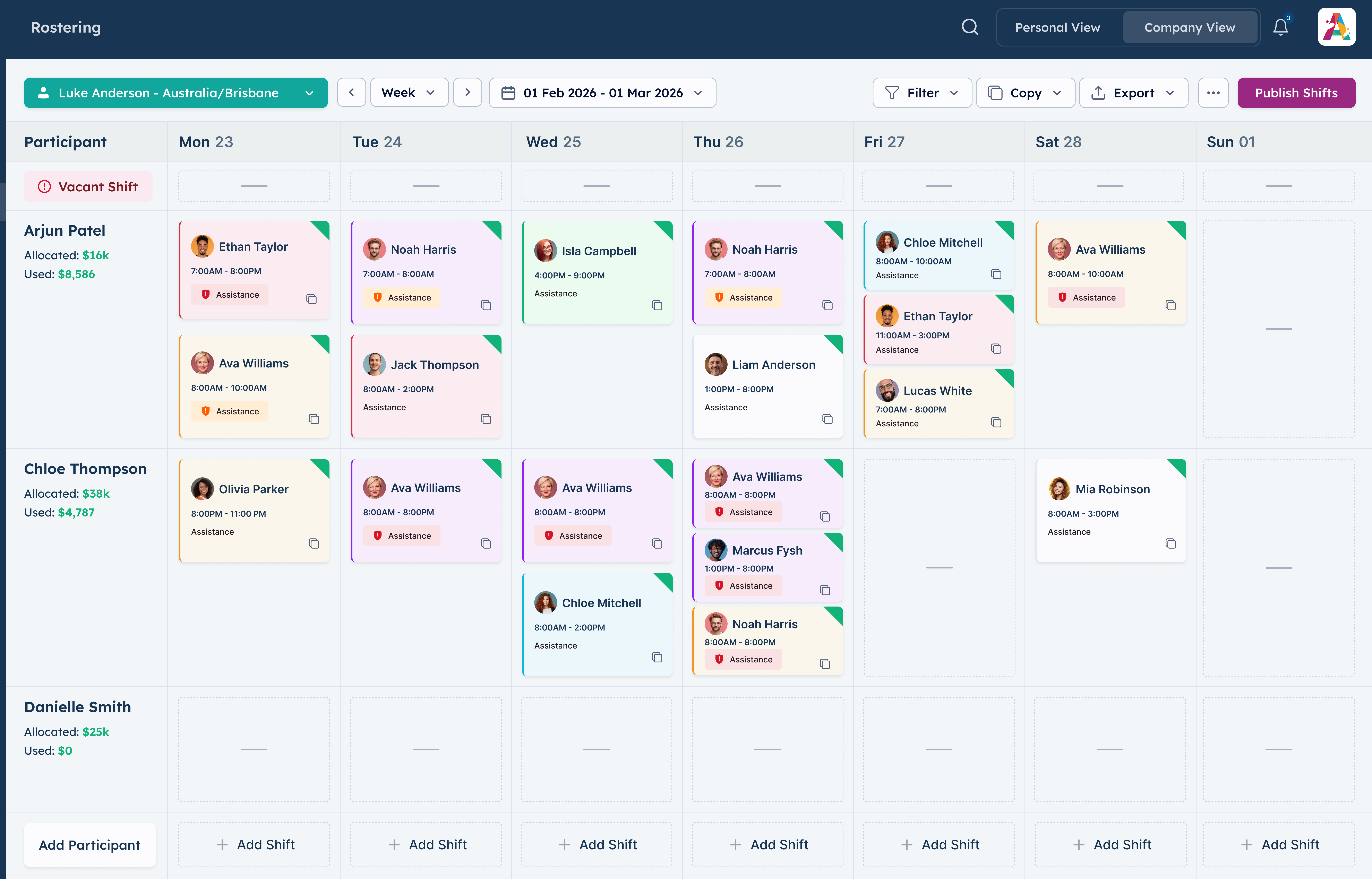
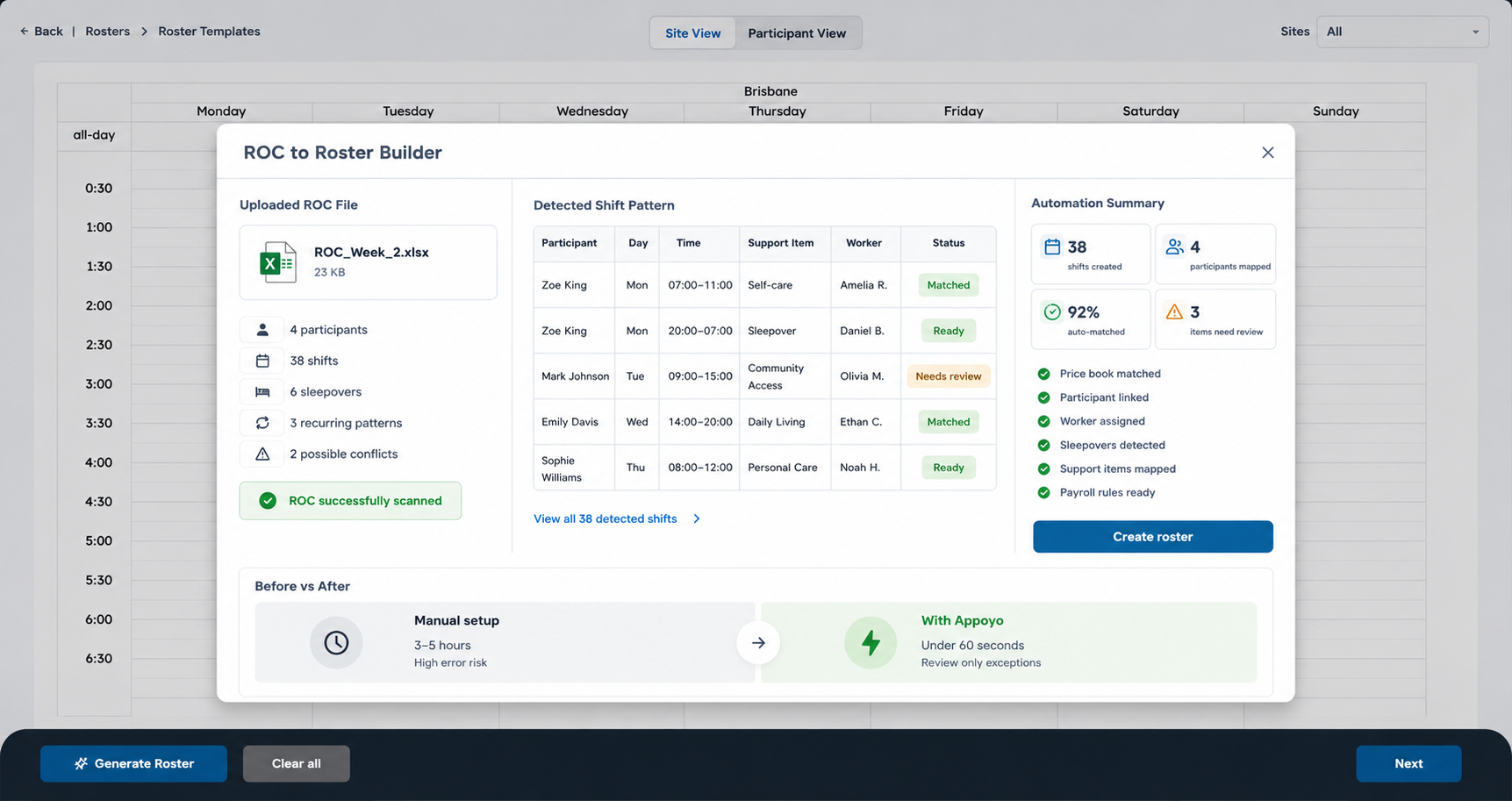
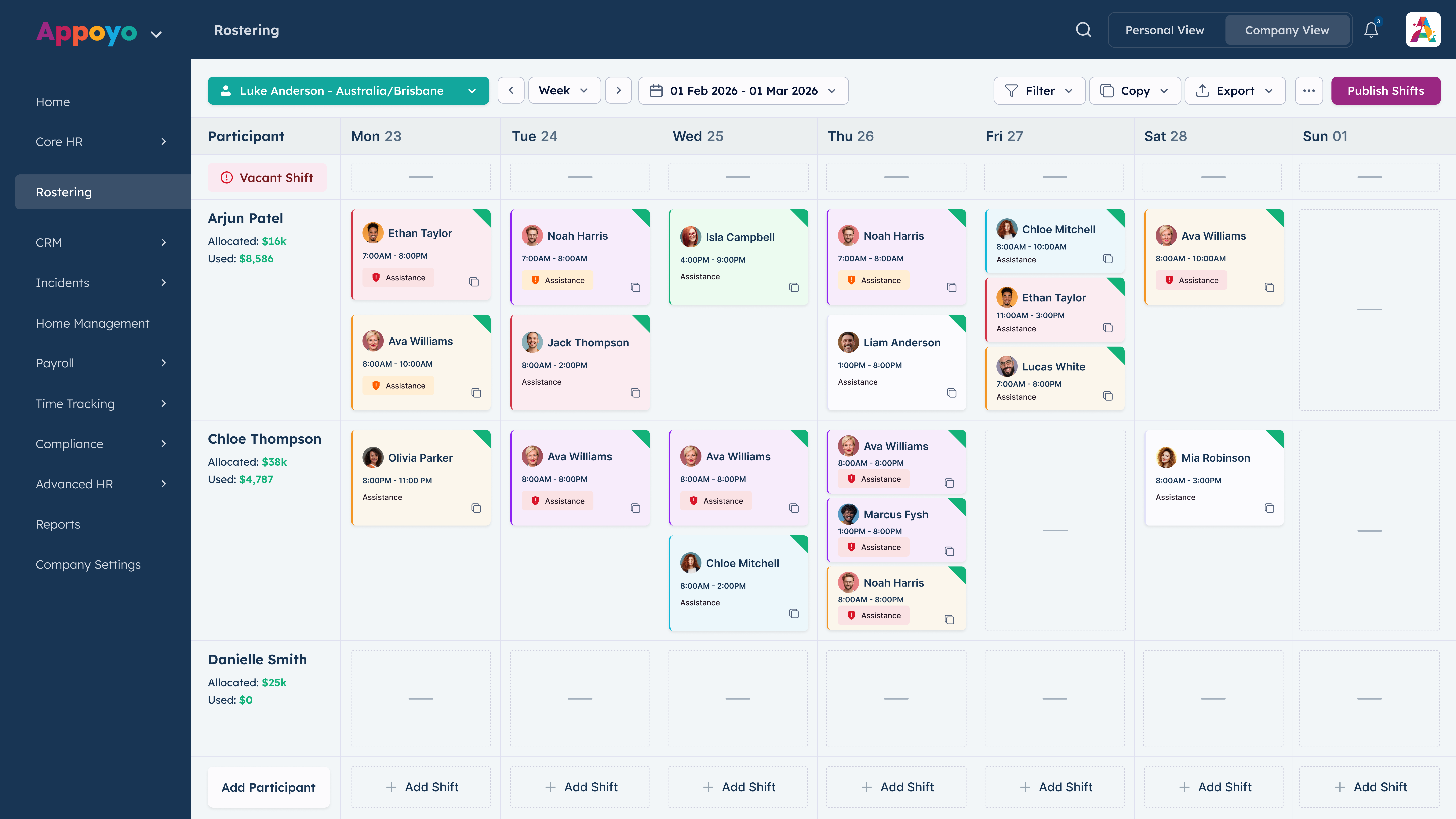
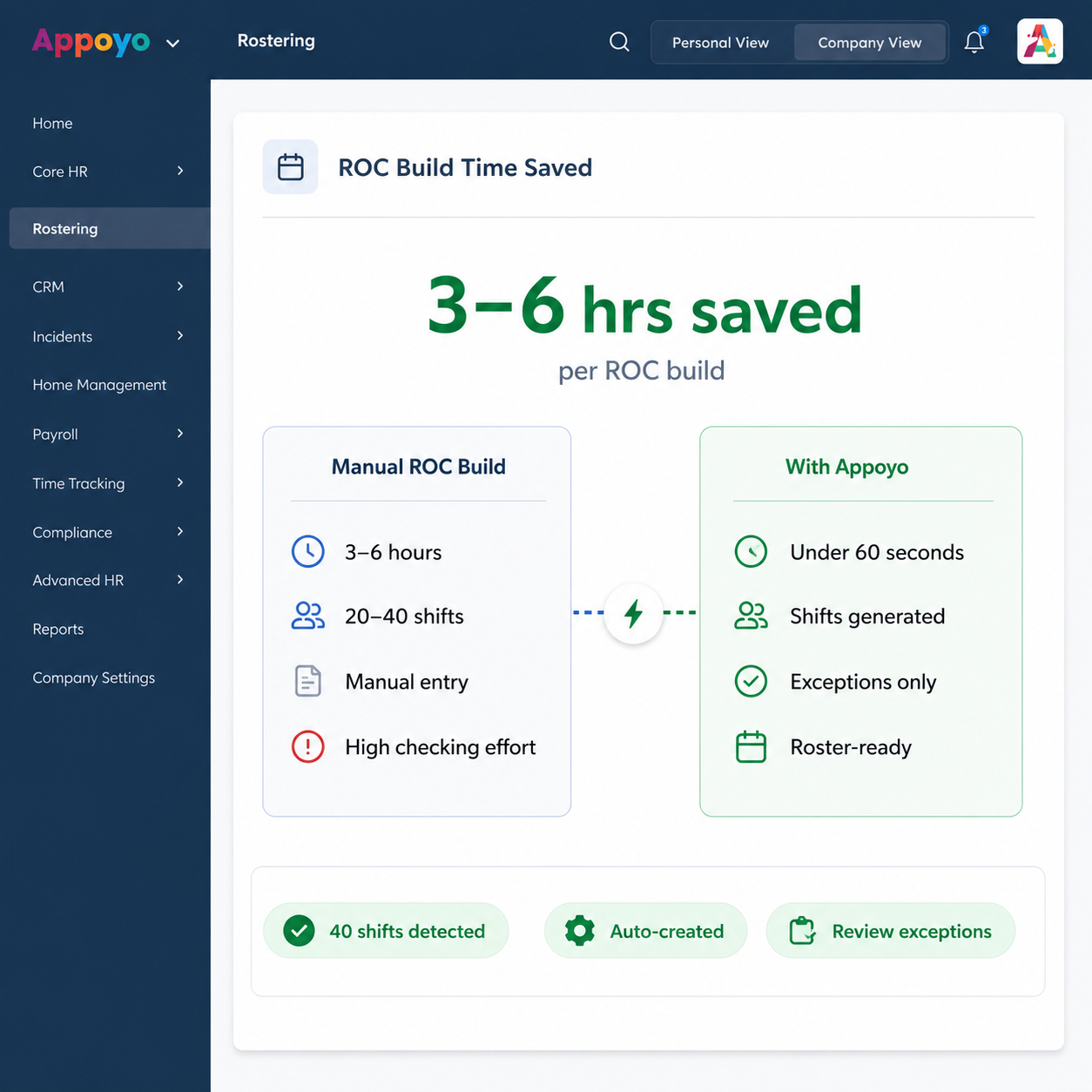
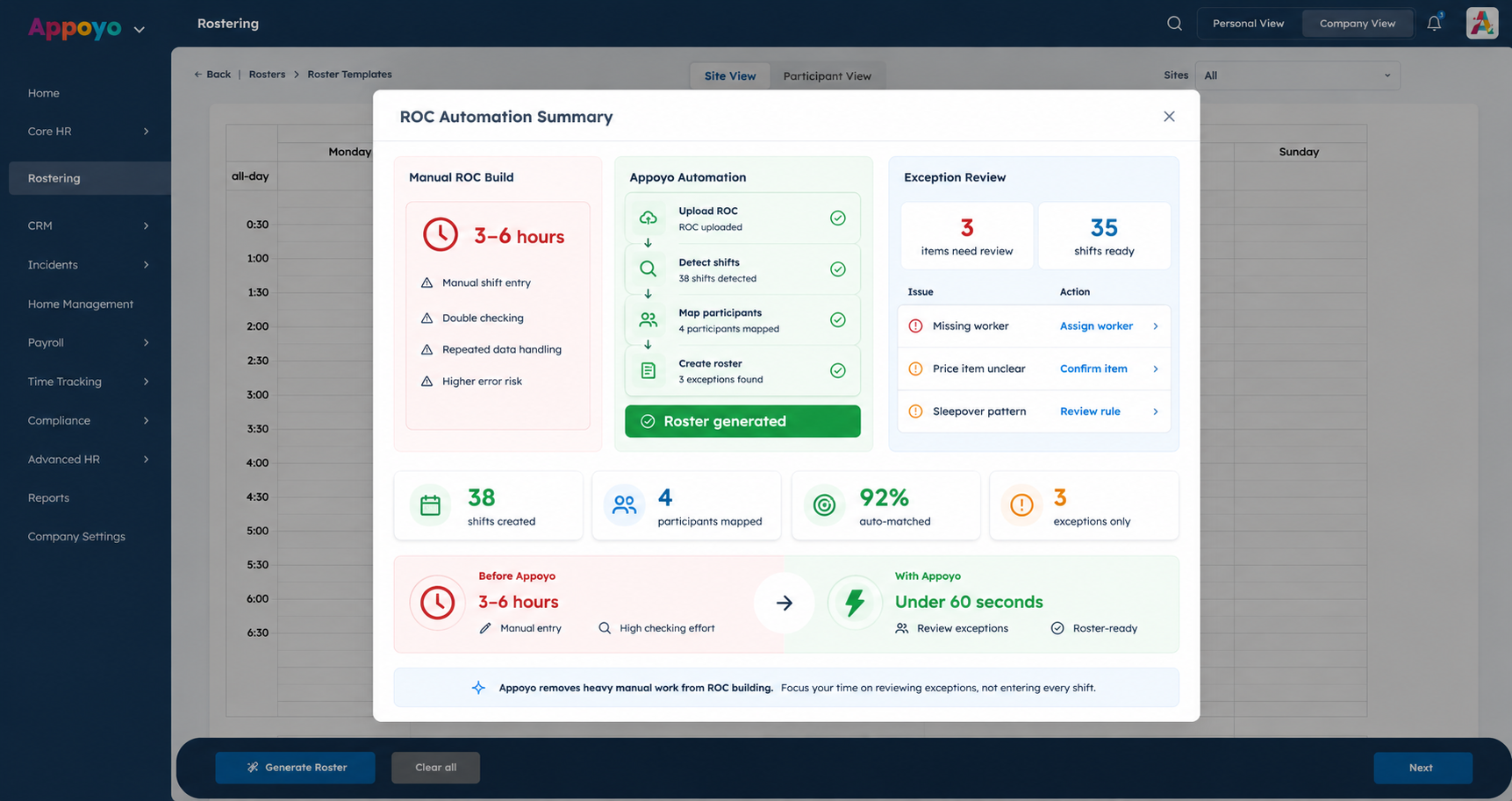
Appoyo’s ROC to Roster Builder turns the standard NDIS Excel ROC into participant profiles and rostered shifts automatically. Save 3 to 6 hours every time you build or rebuild rosters, and remove the errors that cost real money.



.jpg)
WHY IT MATTERS
A single ROC can contain 20 to 40 shifts per week, often across multiple participants and complex patterns. Manual setup takes hours, and when humans miss something, the cost shows up later in payroll, billing, and overservicing. Appoyo automates the setup so the roster starts accurate.
HOW IT WORKS
Upload the standard NDIS ROC Excel file and Appoyo generates the structure for you.

how it works
Drag and drop the NDIS ROC Excel file
Appoyo reads the ROC and creates participant records
Appoyo builds the rostered shifts automatically
Review, adjust if needed, then publish
TIME SAVINGS
Automating 20 to 40 weekly shifts removes manual entry, double handling, and checking. Your team can focus on exceptions and service delivery, not data entry.
ACCURACY AND CONTROL
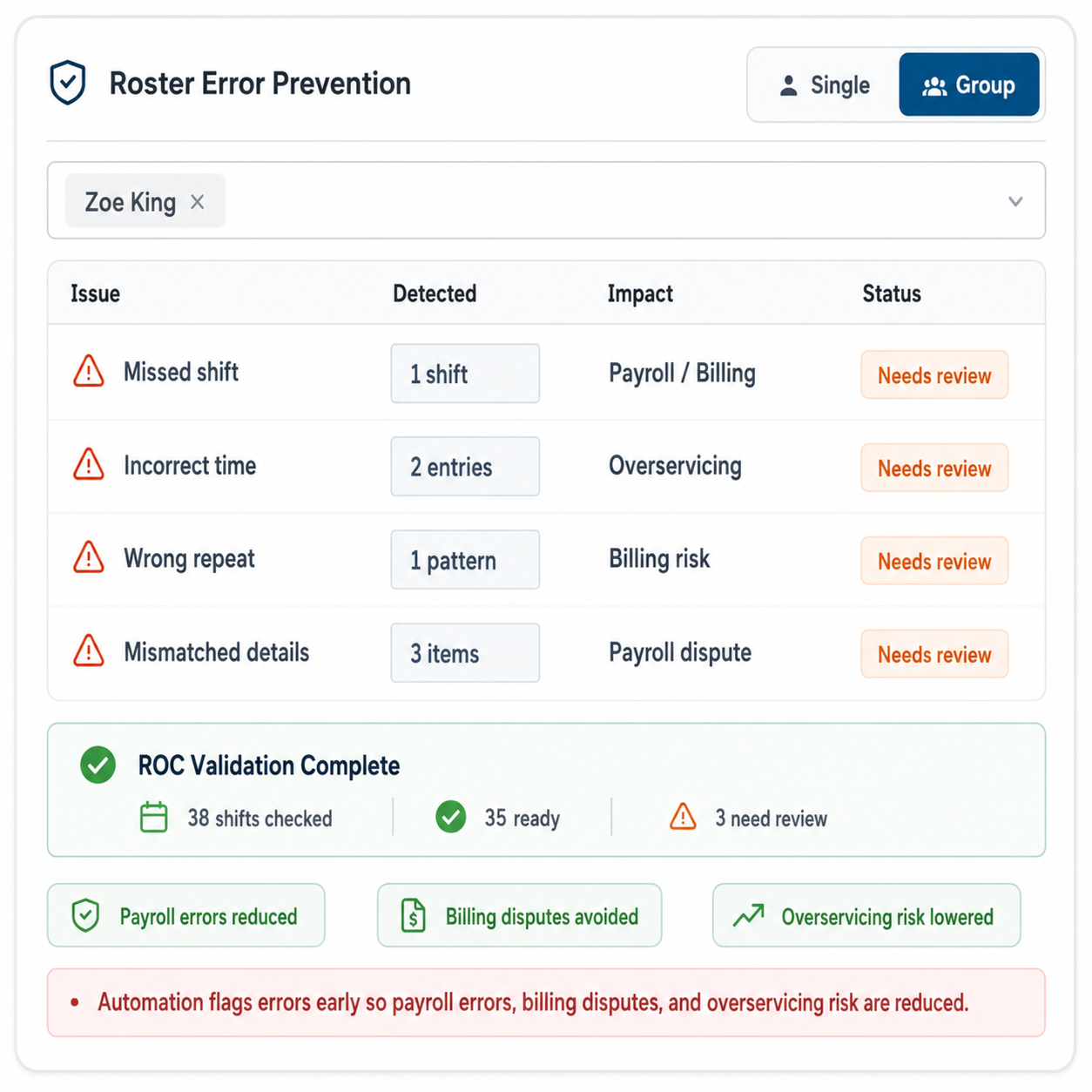
Human roster builds fail in predictable ways: missed shifts, incorrect times, wrong repeats, and mismatched details. Those errors become payroll errors, billing disputes, and overservicing. Automation cuts that risk at the source.
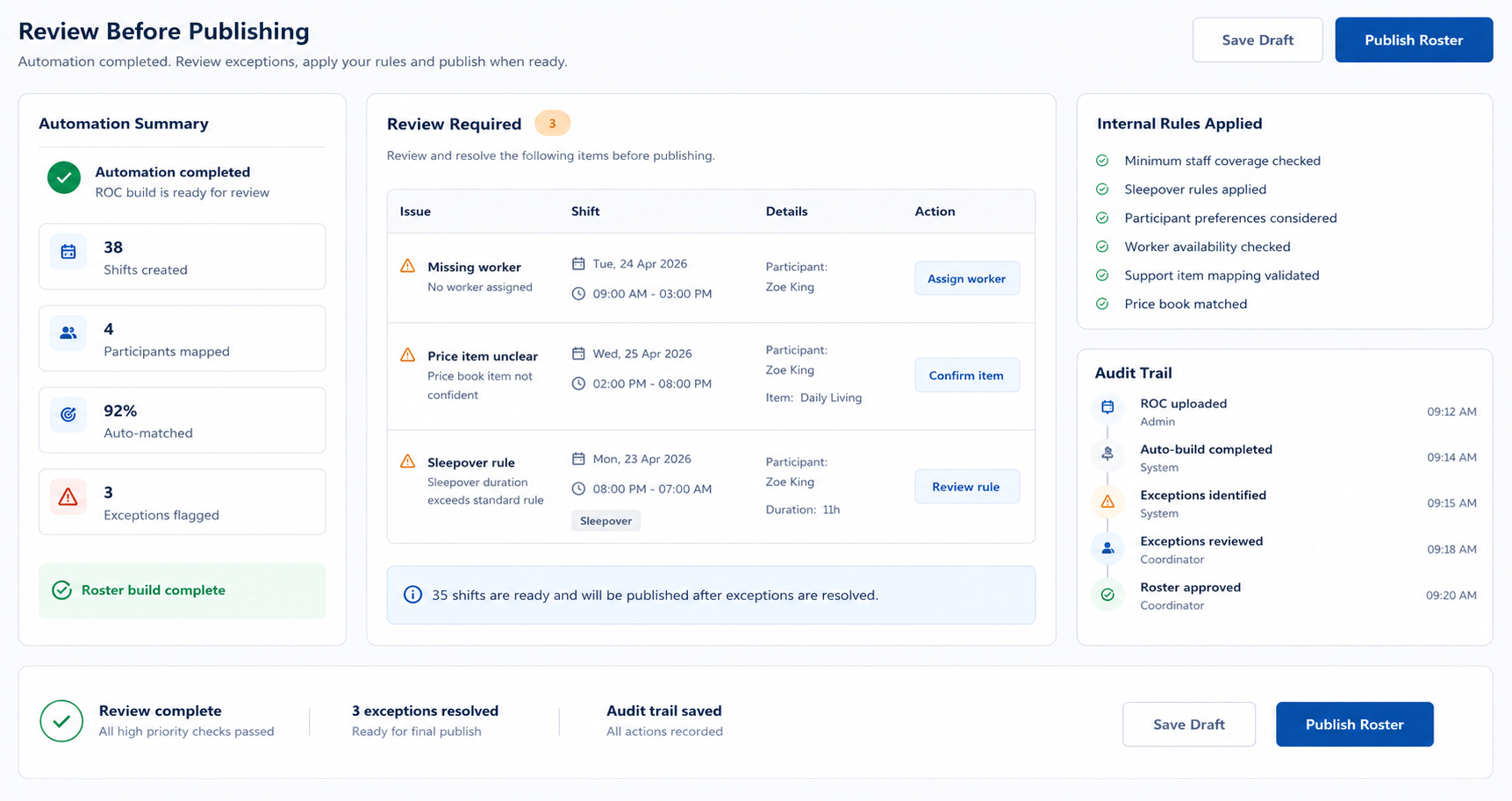
Appoyo automates the build, but your team stays in control. Review before publishing, apply your internal rules, and keep an audit trail of changes.
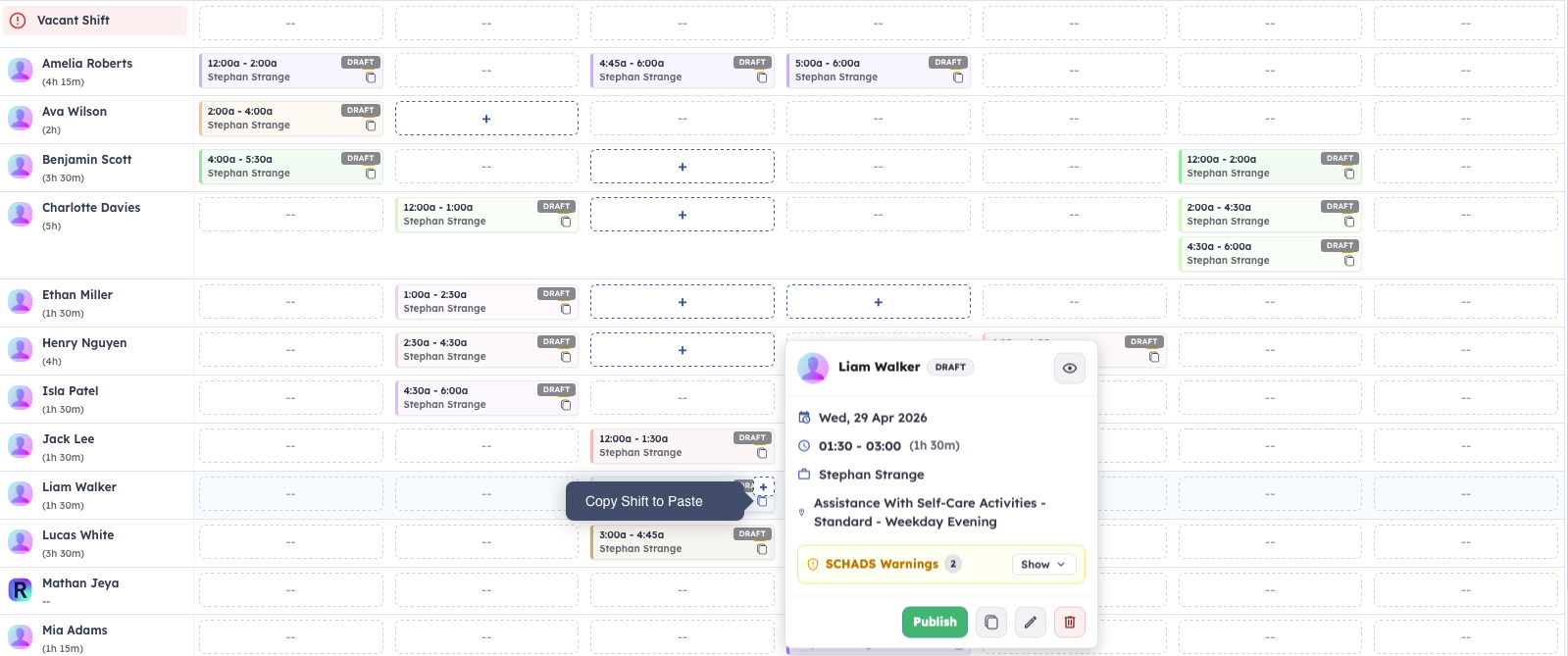
When a shift becomes hard to fill, Appoyo recommends better options automatically.

Turn your NDIS ROC Excel file into participant profiles and rostered shifts automatically, then manage cost and funding risk with live controls.

.png)