HR
Appoyo HR keeps hiring and compliance tight, without the admin drag. Built-in onboarding workflows, credential tracking, and expiry alerts.
Learn More

Appoyo HR keeps hiring and compliance tight, without the admin drag. Built-in onboarding workflows, credential tracking, and expiry alerts.
Learn More
End-to-end delivery linking rostering, notes, payroll and invoicing in one source of truth with live dashboards.
Learn More
Log incidents in field workflows, track actions and report executive risk with clear visibility and accountability.
Learn More
SCHADS-aware payroll and automated invoicing reduce double handling, errors and rework across large care workforces.
Learn More
24/7 shift-fill managed service from 5pm to 7am to reduce roster gaps and continuity risk without adding overhead.
Learn More
Free, no sign-up financial tools built for NDIS and Home Care providers to understand margin, forecasting and more.
Learn More


Support workers log incidents in the Worker App and they flow straight into Appoyo Incident Management. Configure workflows, notifications, and ownership by incident type, then track everything in one place with dashboards and reporting.


.jpg)
WHY IT MATTERS
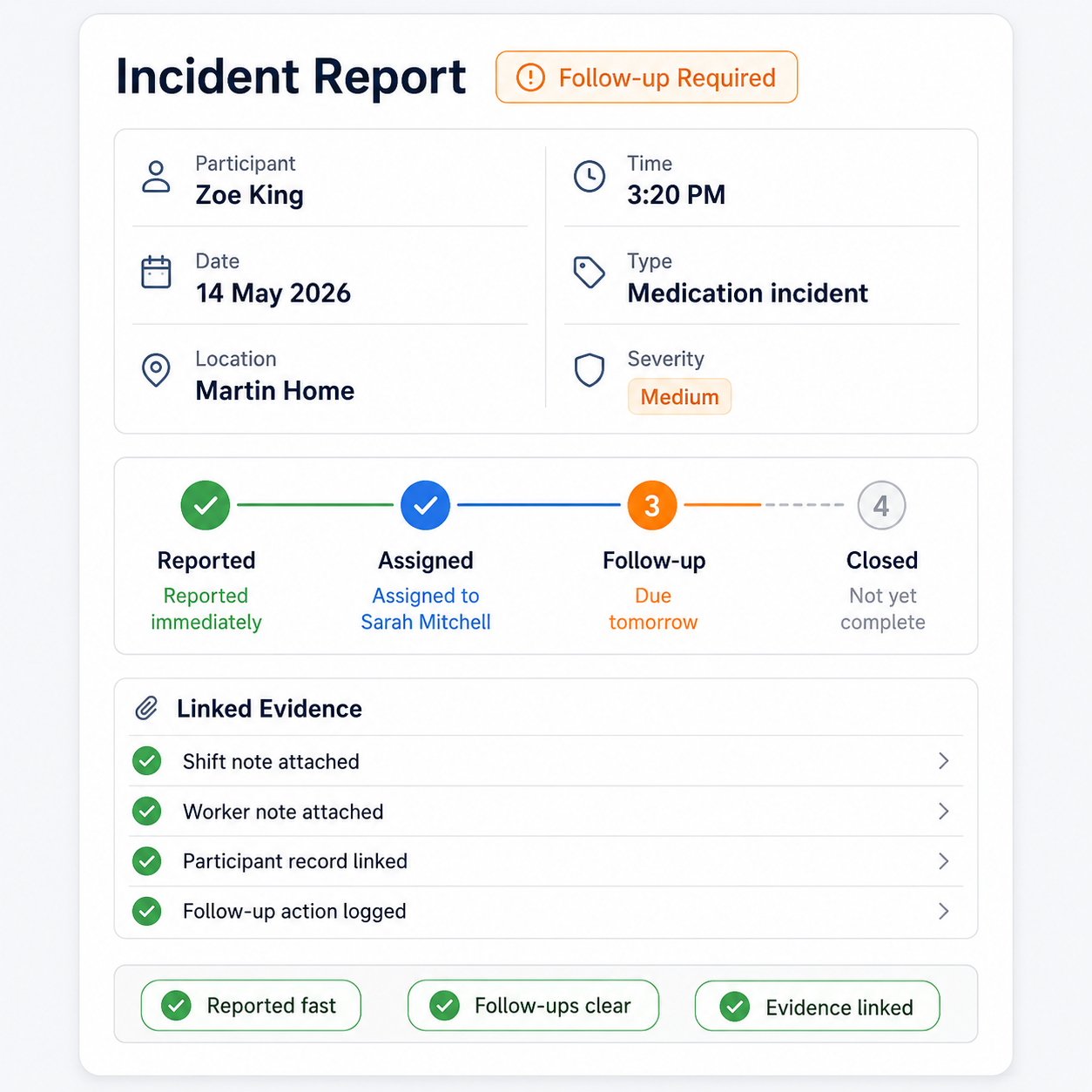
If incidents start in paper forms, emails, or messages, you lose time, miss follow-ups, and struggle to prove what happened. Appoyo closes the gap by capturing incidents immediately and running them through a structured workflow.
WHAT IT DOES
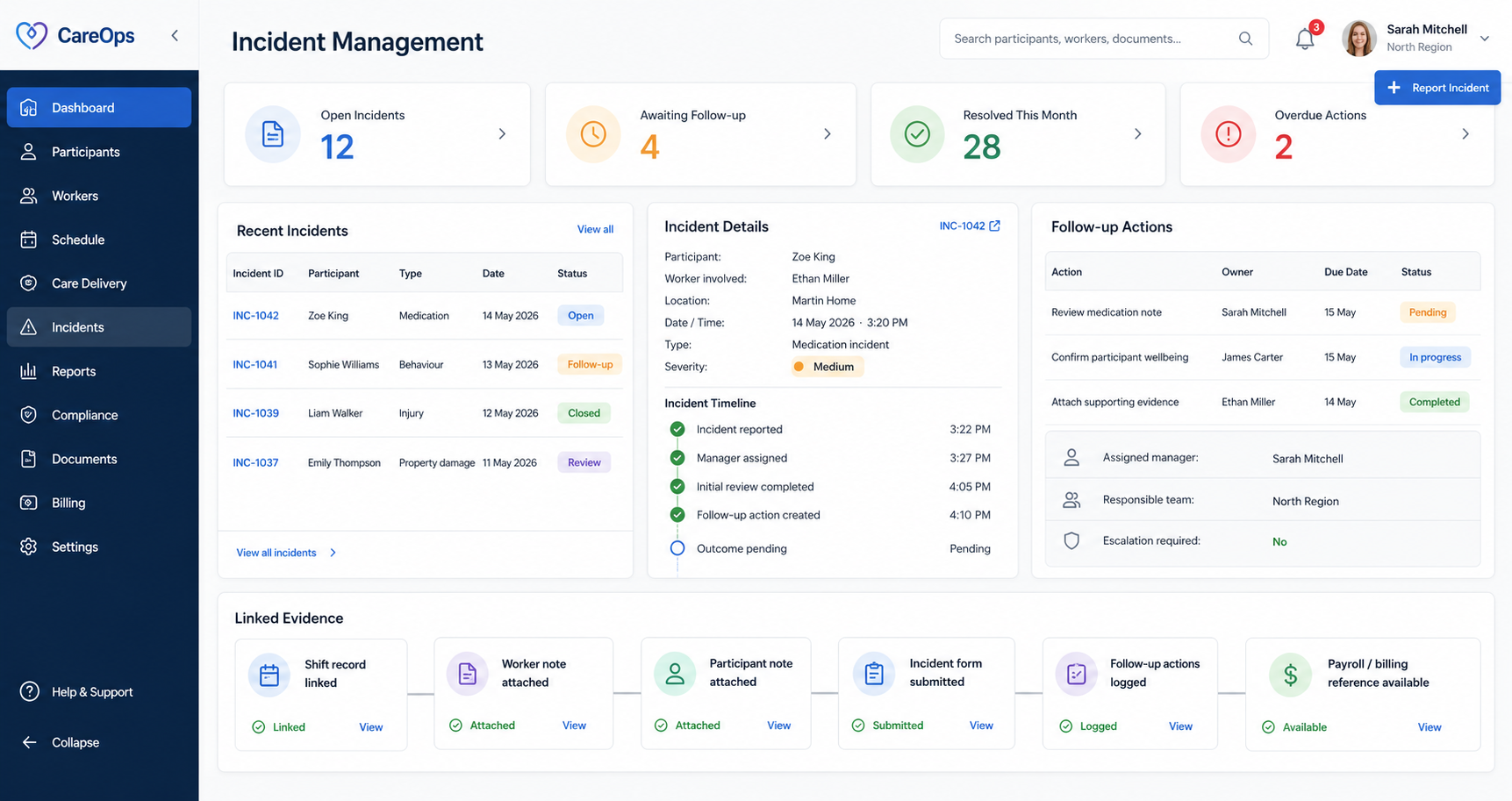
Appoyo’s AI engine schedules based on best fit, not just time slots. It builds a draft roster that is close to ready, so coordinators start with a high-quality baseline inAppoyo turns incident handling into a clear process with visibility, accountability, and evidence linked to the shift, participant, and worker. Stead of a blank screen.

how it works
Worker submits incident in the Worker App
Incident appears instantly in Incident Management
Appoyo triggers workflows, tasks, and notifications based on type
Investigation actions are assigned, tracked, and completed
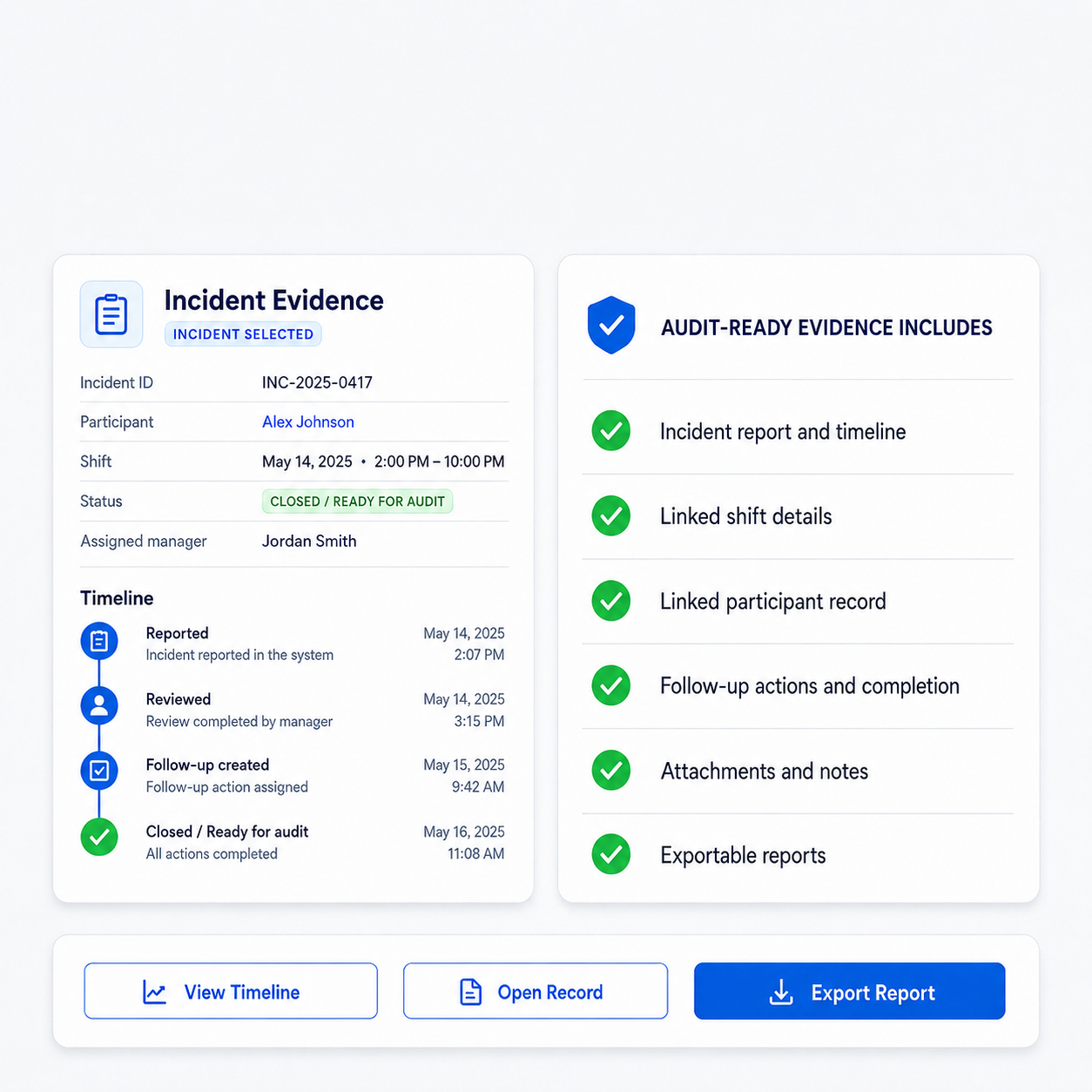
Close-out is recorded with evidence attached and time-stamped
Worker App capture
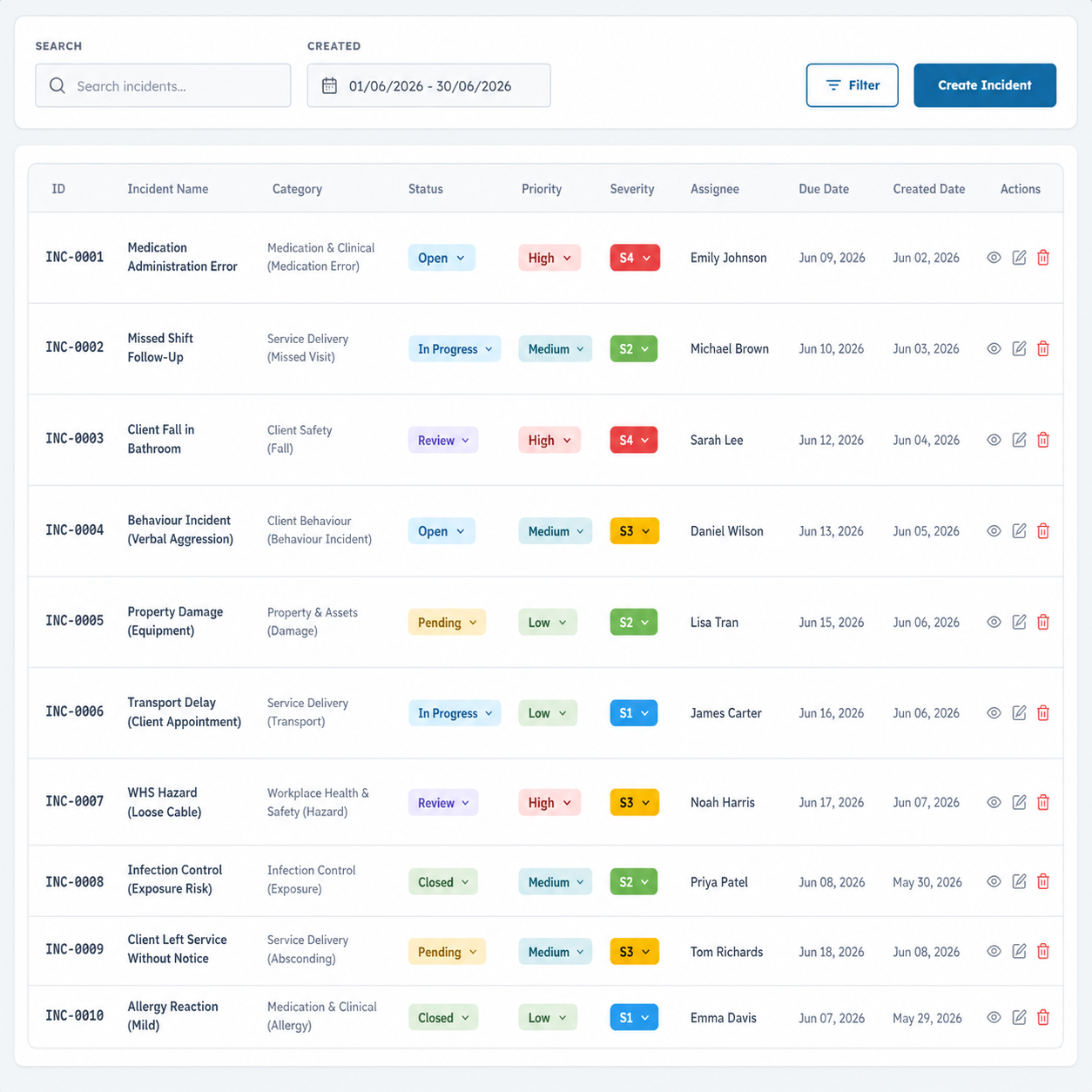
Workers can report incidents as they happen, reducing delays and improving accuracy. Submissions are stored against the correct participant and shift history.

Workflow automation
Configure incident types and automatically route them to the right people with the right steps, every time.
One place to manage everything
All incidents sit in one controlled workspace with status, ownership, actions, and supporting evidence visible in real time.

Dashboards and insights
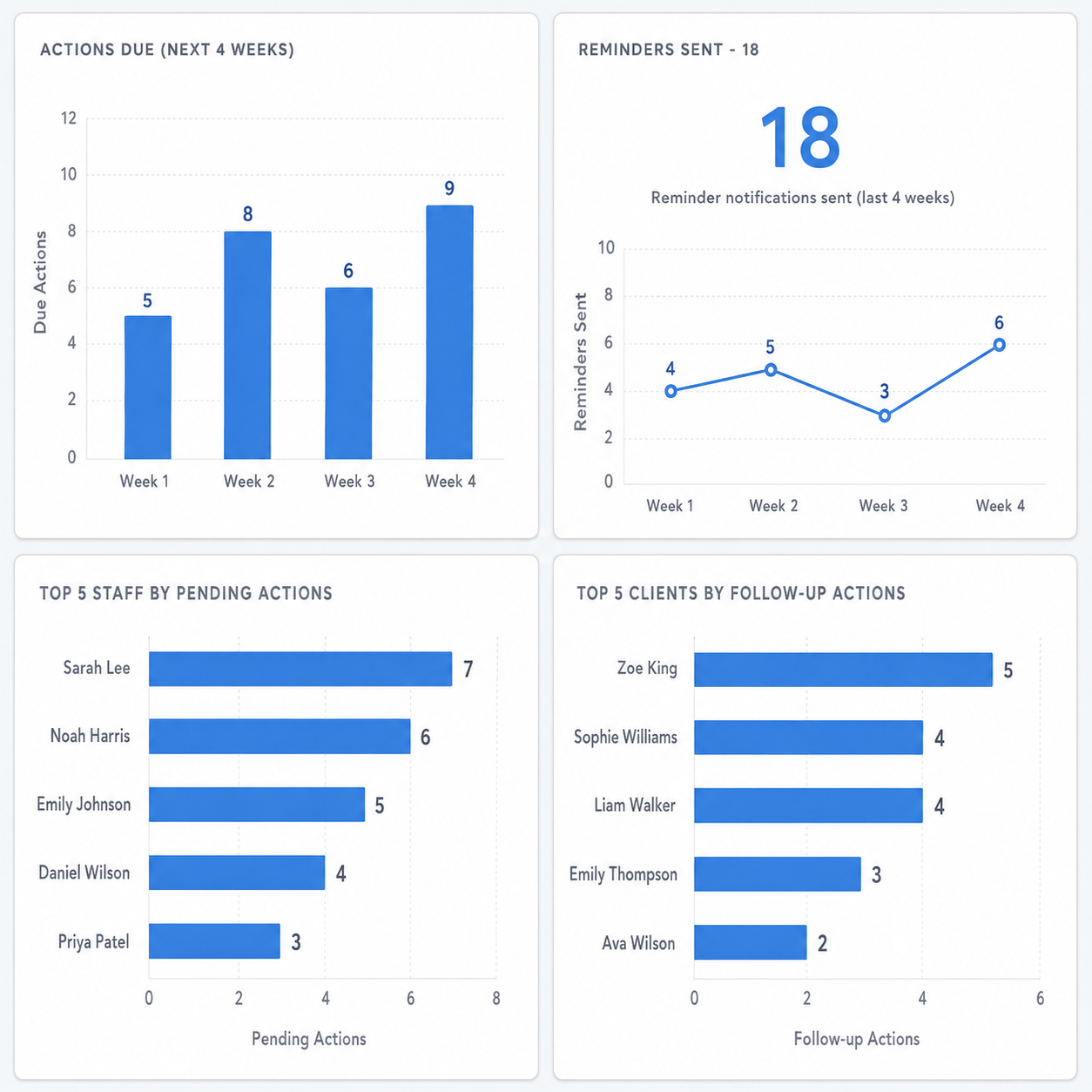
Monitor trends, hotspots, open actions, repeat incidents, and response time. Use data to improve quality and reduce risk.

Audit-ready by default
Every incident is connected to related operations so you can answer questions fast. No rebuilding the story from scattered records.
Why this is different (4-in-1 integration)
Appoyo runs HR, Care, Payroll, Billing, and Incidents in one platform. That means incident records connect to real operational data, not disconnected forms.
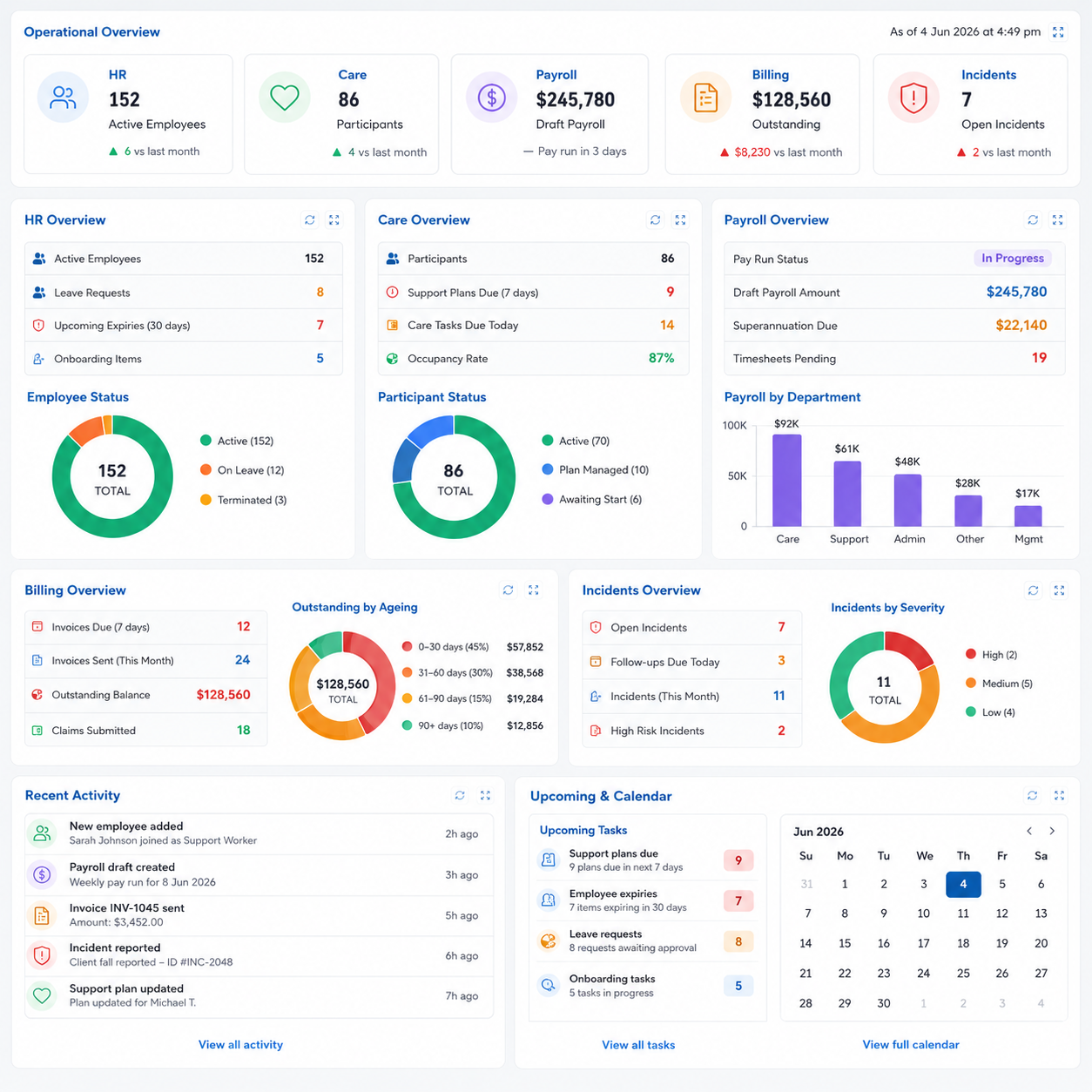
Capture incidents in the field, manage them through a workflow, and report insights with clean audit evidence, all inside Appoyo.

.png)