HR
Appoyo HR keeps hiring and compliance tight, without the admin drag. Built-in onboarding workflows, credential tracking, and expiry alerts.
Learn More

Appoyo HR keeps hiring and compliance tight, without the admin drag. Built-in onboarding workflows, credential tracking, and expiry alerts.
Learn More
End-to-end delivery linking rostering, notes, payroll and invoicing in one source of truth with live dashboards.
Learn More
Log incidents in field workflows, track actions and report executive risk with clear visibility and accountability.
Learn More
SCHADS-aware payroll and automated invoicing reduce double handling, errors and rework across large care workforces.
Learn More
24/7 shift-fill managed service from 5pm to 7am to reduce roster gaps and continuity risk without adding overhead.
Learn More
Free, no sign-up financial tools built for NDIS and Home Care providers to understand margin, forecasting and more.
Learn More


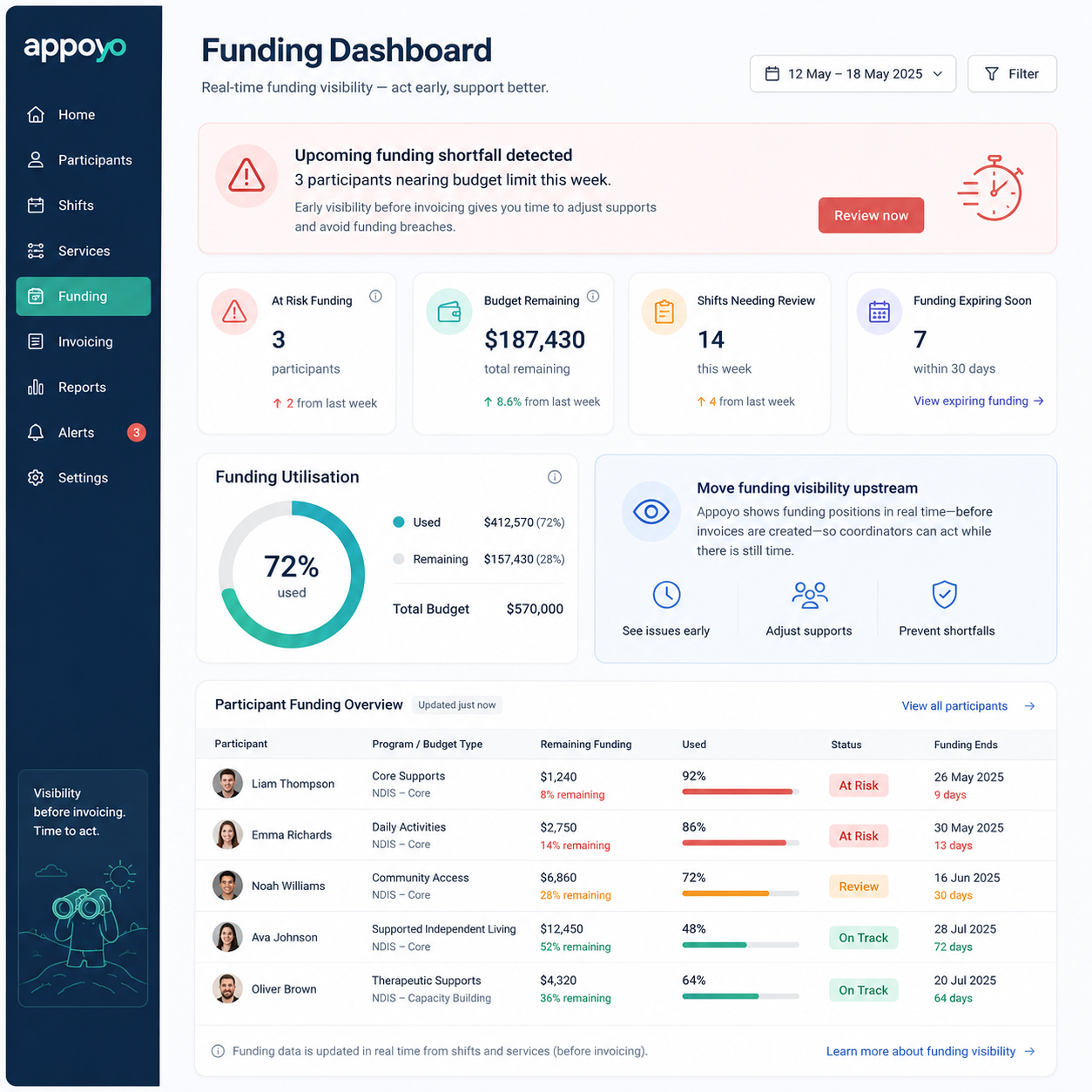
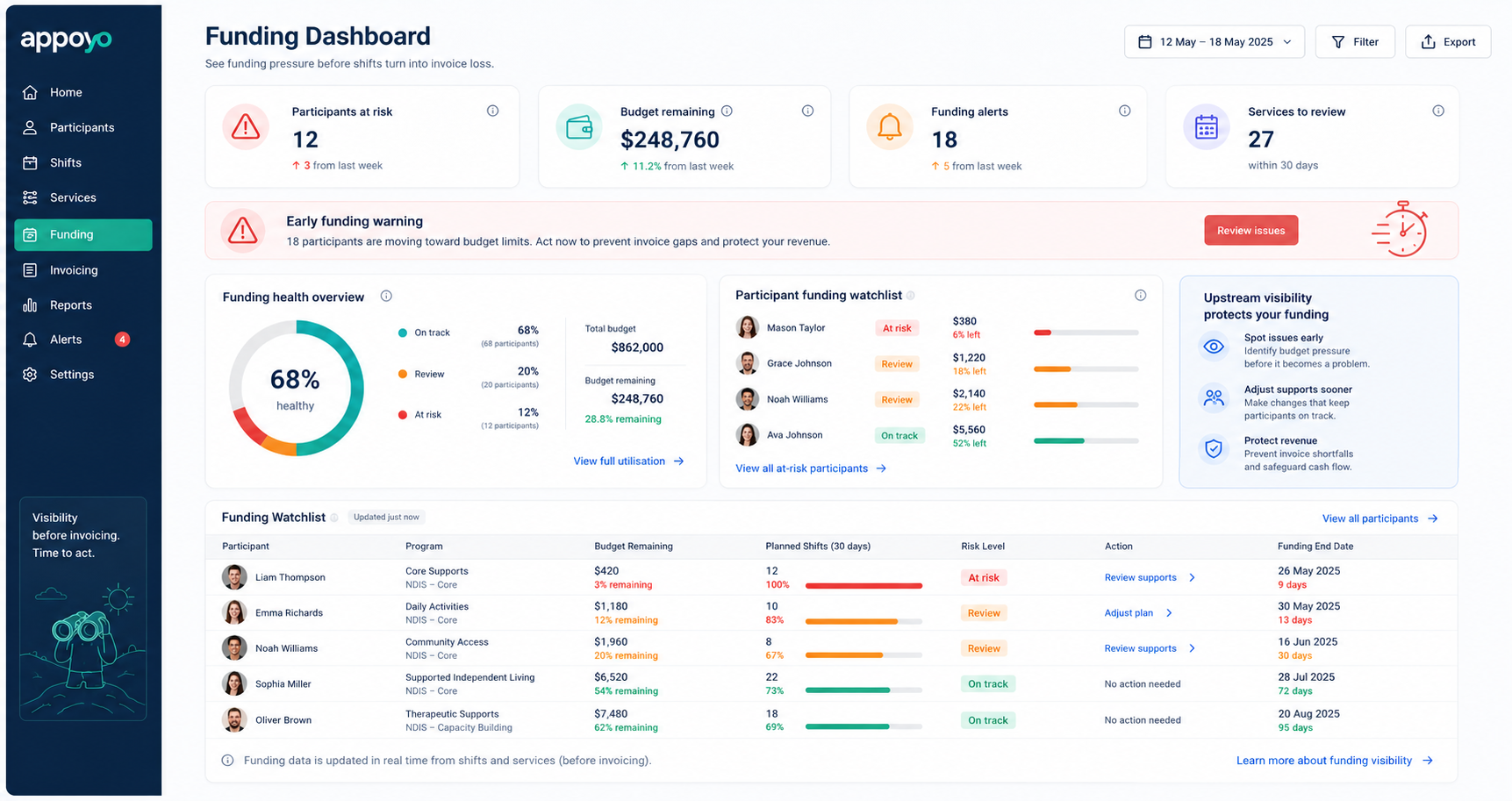
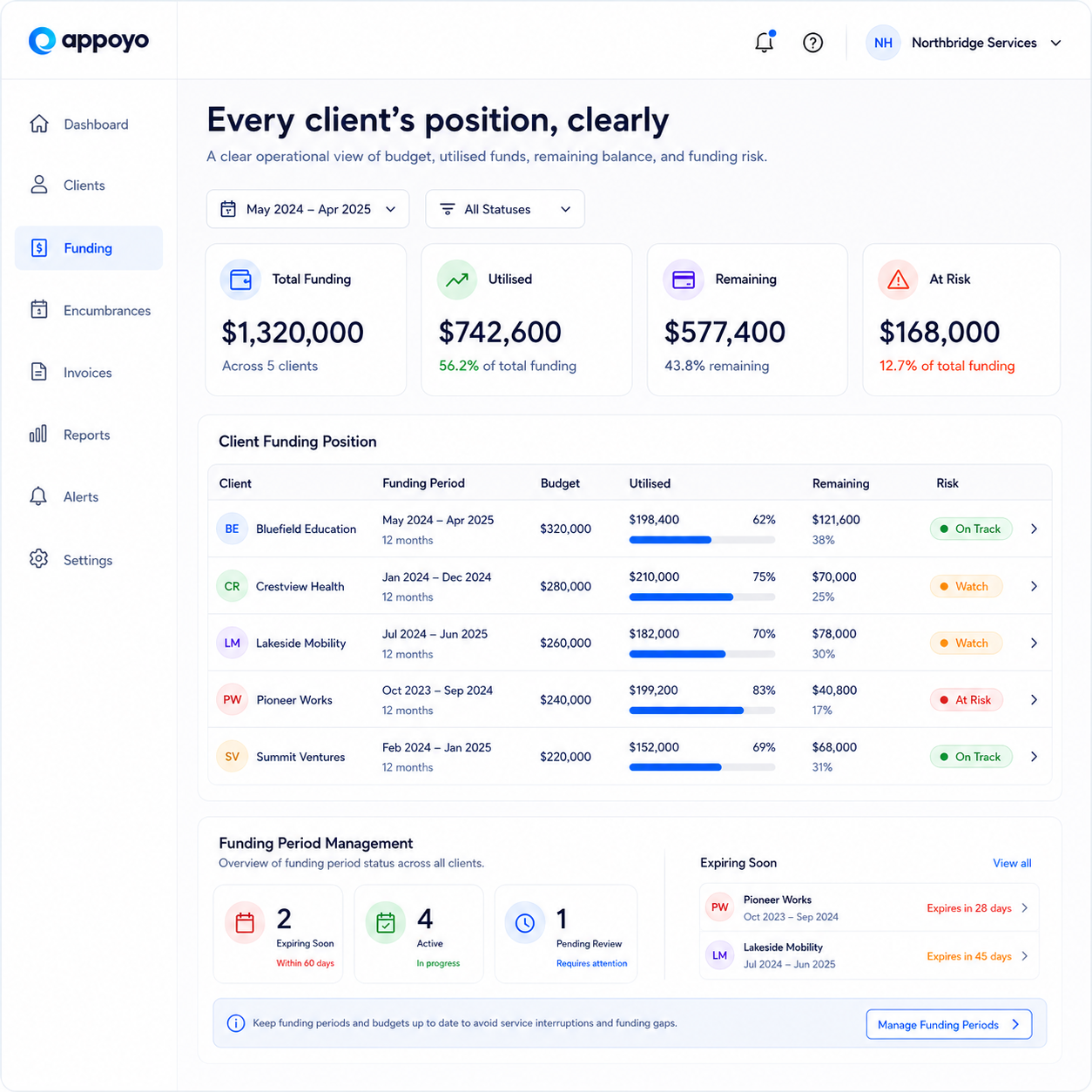
Appoyo shows budget, utilisation, remaining funds, and risk for every client in one place — built for fast operational decisions, not finance-only reporting. Built for NDIS and Support at Home.



WHY IT MATTERS
Most providers only see a funding issue after shifts are worked and invoices are raised — when the loss is already locked in. Appoyo moves funding visibility upstream, so coordinators can act while there is still time.
WHAT YOU GET
See where each client sits against their funding, with the signals a coordinator needs to make a quick, safe decision.

HOW IT WORKS
Set up client funding and periods
Service is rostered and delivered
Appoyo tracks utilisation against budget live
Risk flags highlight clients that need attention
Coordinators act before funds run short
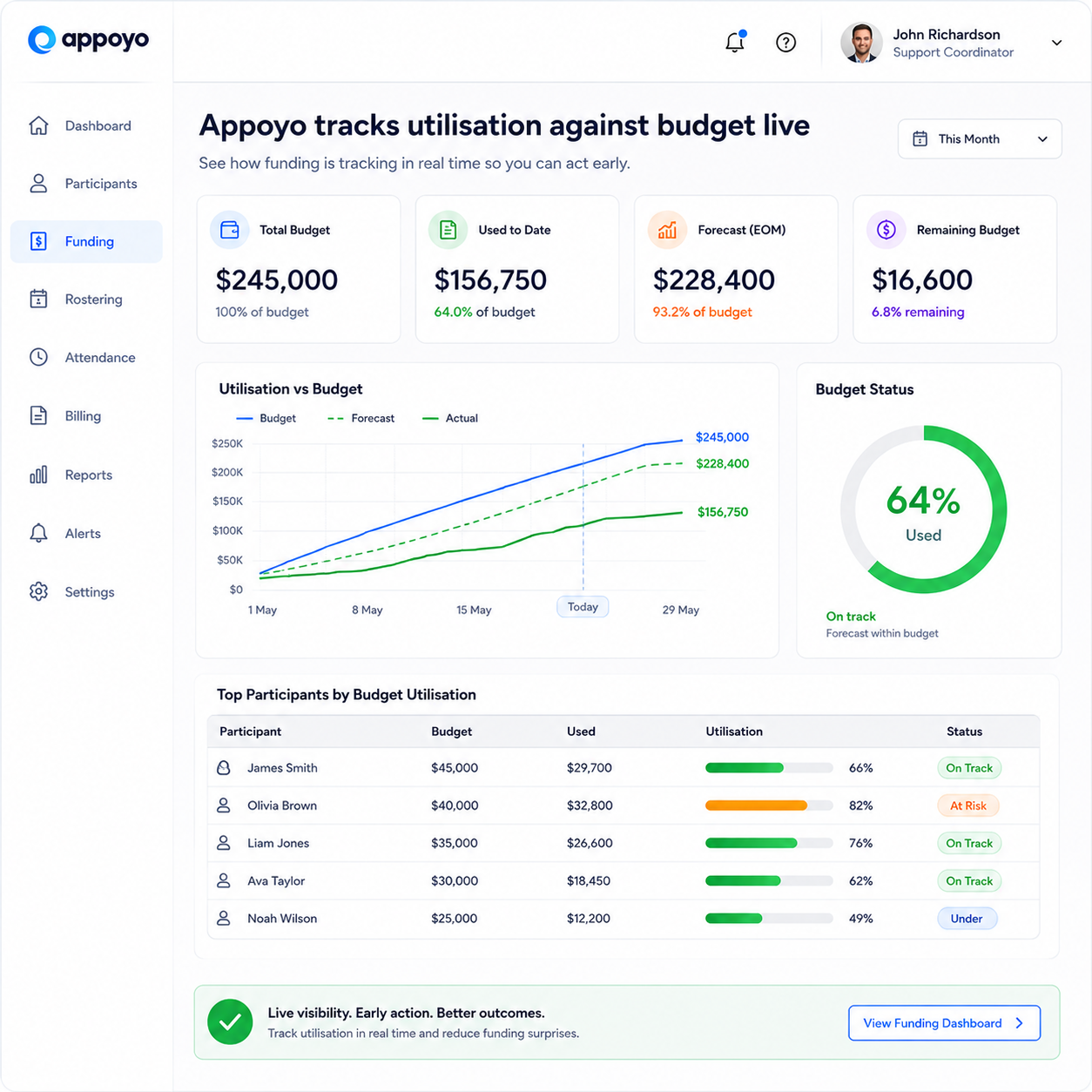
FUNDING MANAGEMENT DASHBOARD
A clear view of budget, utilisation, remaining funds, and risk, designed for operational decisions rather than month-end finance reports.
CONTROLS WHILE ROSTERING
Settings can alert or fully block rostering when a client's funding has run out, with approval prompts for exceptions and an audit trail of decisions.

BUILT FOR NDIS AND SUPPORT AT HOME
Designed around how care funding actually works, so the dashboard reflects real plans, periods, and utilisation rather than generic budgets.
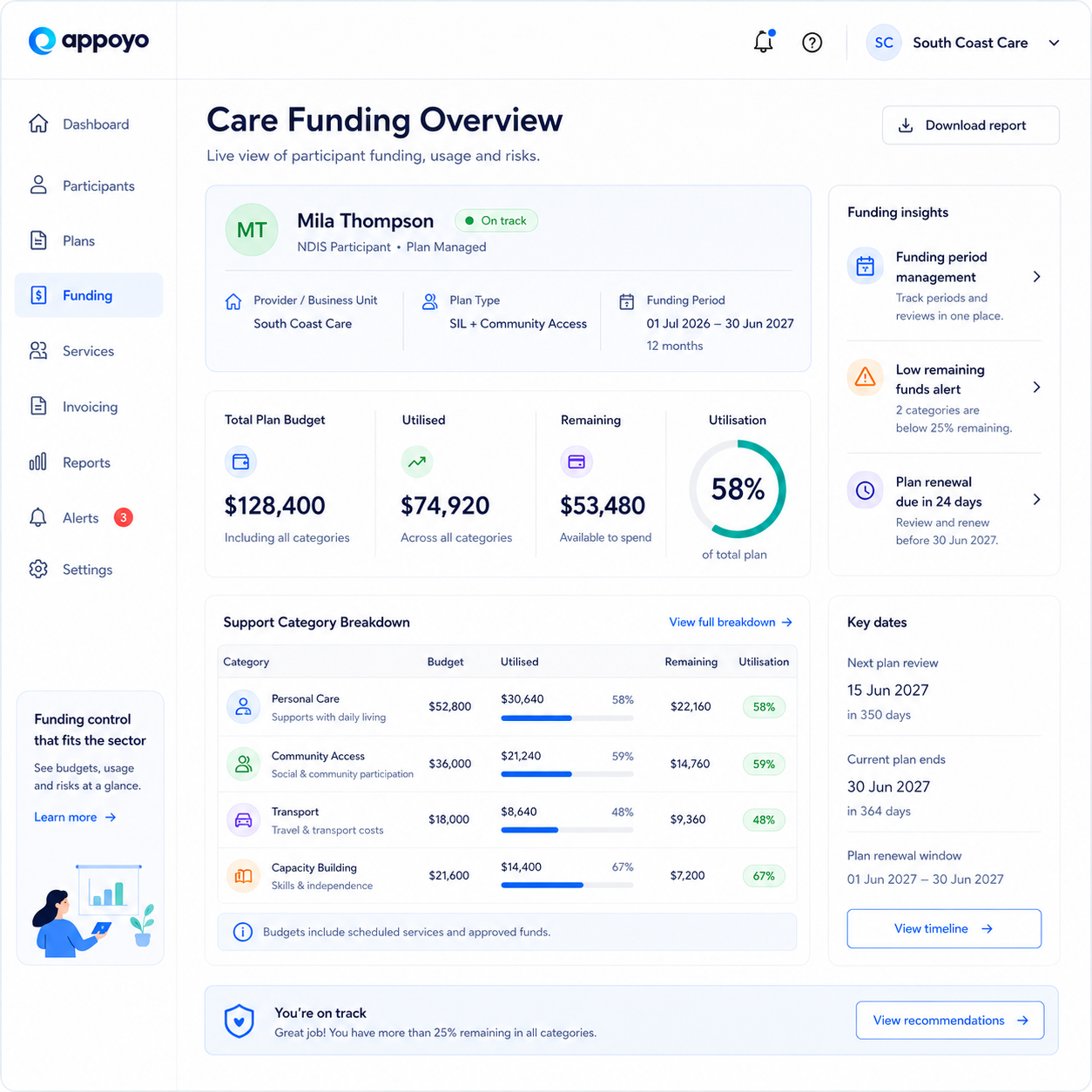
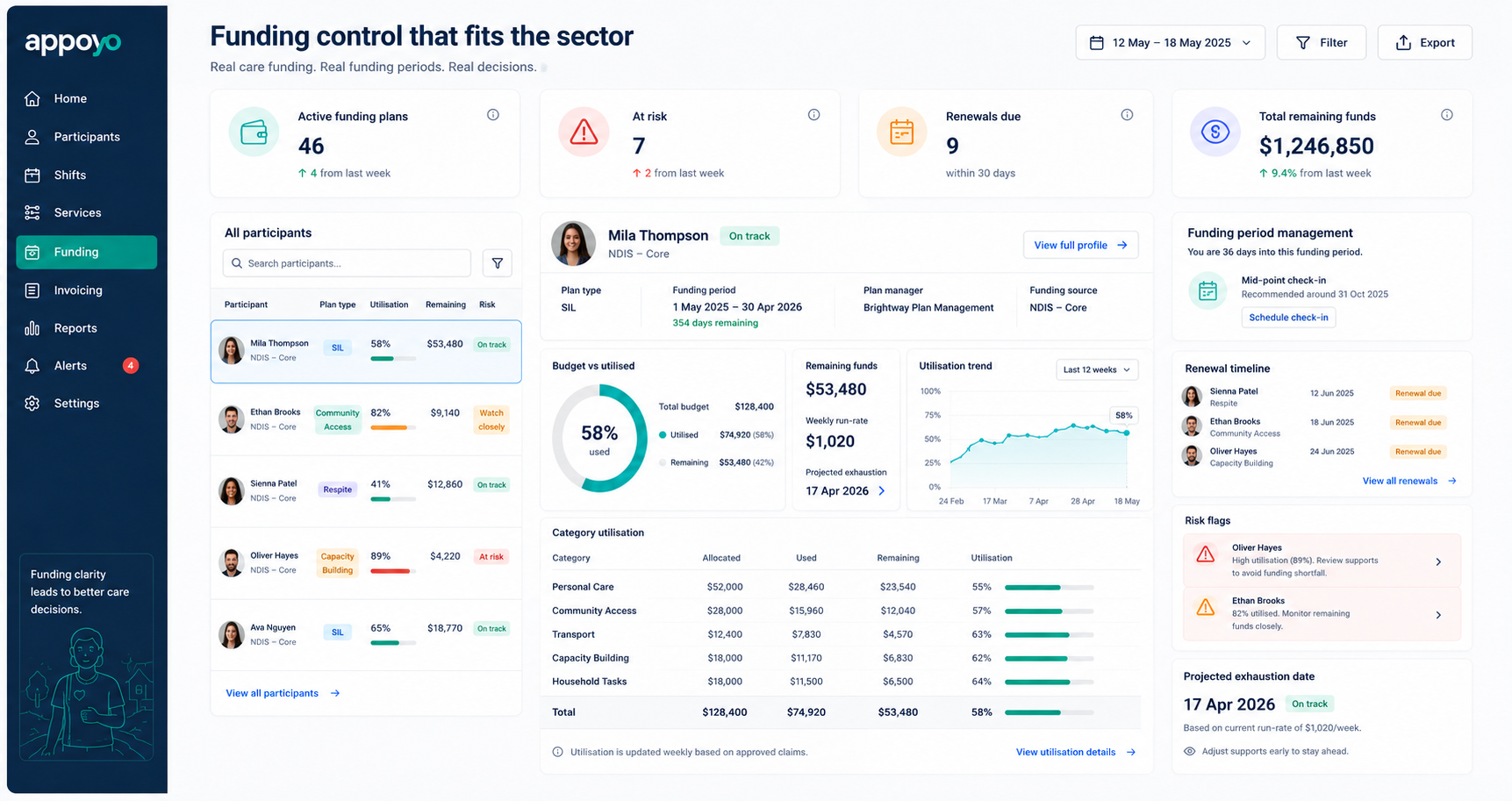
Track each client's budget and utilisation live, with controls that prevent overspend at the roster.